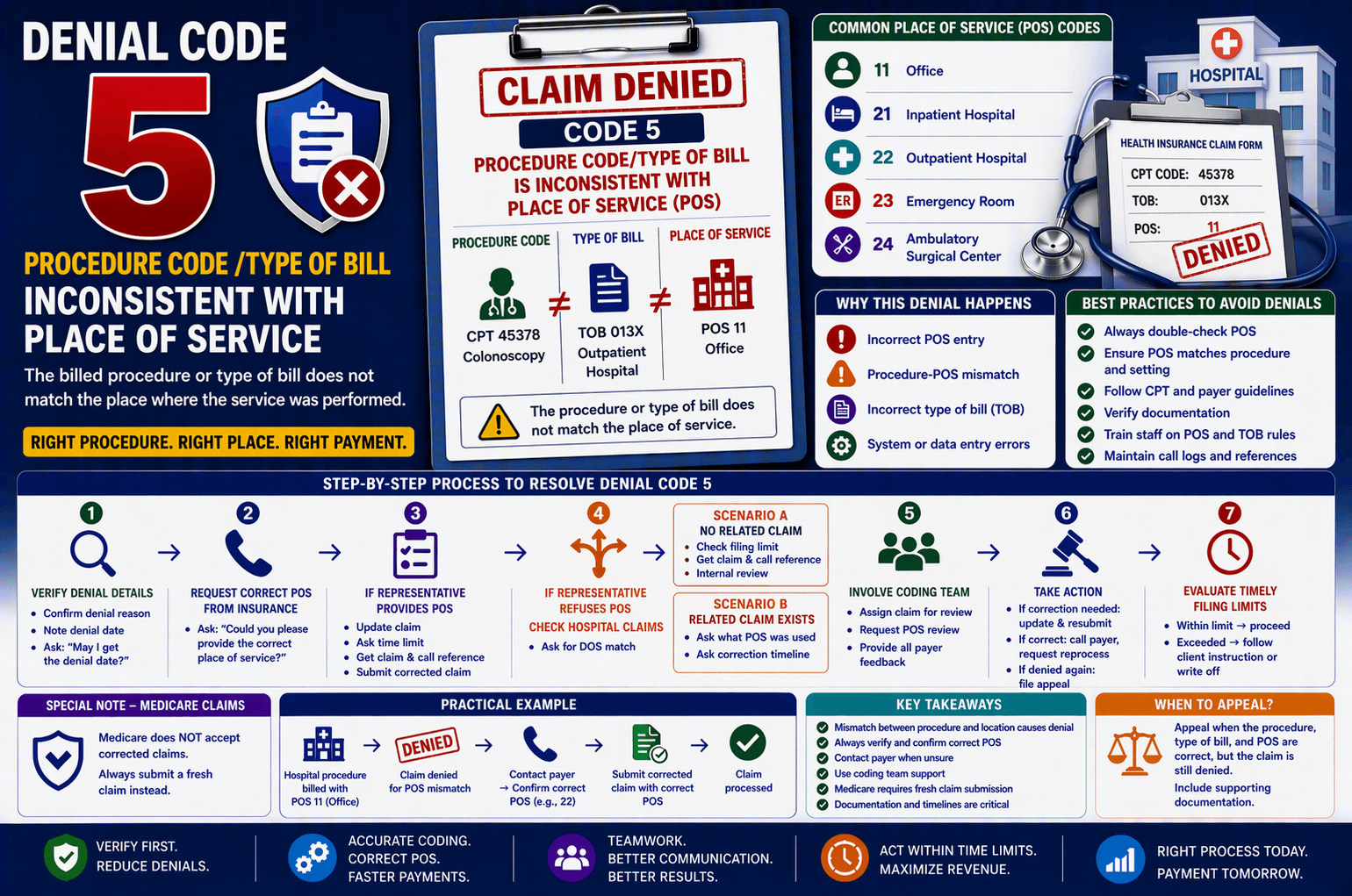
Medical billing is a complex process where even small inconsistencies can lead to claim denials. One common denial reason is: “The procedure code/type of bill is inconsistent with the place of service (POS).” For beginners in medical billing or revenue cycle management (RCM), this can sound confusing—but it’s actually a fixable issue once you understand what it means. In this guide, we’ll break down this denial in simple terms, explain why it happens, and walk you through a clear step-by-step resolution process.
What Does This Denial Mean?
This denial occurs when there is a mismatch between: Procedure Code (CPT/HCPCS) – What service was performed; Type of Bill (TOB) – Facility billing classification; Place of Service (POS) – Where the service was performed. In simple terms: The insurance company believes the service billed doesn’t match the location where it was supposedly performed.
Understanding Place of Service (POS)
The Place of Service (POS) is a 2-digit code used on claims to indicate where services were provided.
Common POS Codes: 11 – Office; 21 – Inpatient Hospital; 22 – Outpatient Hospital; 23 – Emergency Room; 24 – Ambulatory Surgical Center.
Example: If a procedure is typically done in a hospital but billed with POS 11 (office), the claim may get denied.
Why This Denial Happens
Here are the most common reasons:
- Incorrect POS Entry – The billing team mistakenly entered the wrong POS code.
- Procedure-POS Mismatch – Some procedures are only valid in certain settings. Example: Surgical procedures billed with an office POS.
- Incorrect Type of Bill (TOB) – Facility claims use TOB codes, and mismatches can trigger denials.
- System or Data Entry Errors – Mistakes during claim creation or EHR integration.
Step-by-Step Resolution Process
Here’s a practical workflow you can follow when handling this denial:
Step 1: Verify Denial Details – Confirm denial reason; Note denial date; Ask: “May I get the denial date?”
Step 2: Request Correct POS from Insurance – Ask: “Could you please provide the correct place of service?”
Step 3: If Representative Provides POS – Update claim; Ask time limit; Get claim & call reference; Submit corrected claim.
Step 4: If Representative Refuses POS – Check hospital claims; Ask for DOS match.
Scenario A: No Related Claim – Check filing limit; Get references; Internal review.
Scenario B: Related Claim Exists – Ask POS used; Ask correction timeline.
Step 5: Involve Coding Team – Assign claim; Request POS review.
Step 6: Take Action – If correction needed: update & resubmit; If correct: call payer, request reprocess; If denied again: file appeal.
Special Note for Medicare Claims
Medicare does NOT accept corrected claims. Always submit a fresh claim instead.
Best Practices to Avoid This Denial
Always double-check POS; Ensure POS matches procedure & setting; Follow CPT & payer rules; Verify documentation; Train staff; Maintain call logs.
Practical Example
A hospital procedure billed with POS 11 (office) → claim denied. Fix: contact payer → confirm correct POS (e.g., 22) → submit corrected claim.
Key Takeaways
Mismatch between procedure & location causes denial; Always verify POS; Contact payer when unsure; Use coding team; Medicare needs fresh claims; Documentation is critical.
FAQs
- What is POS? It indicates where service was performed.
- Can I resubmit? Yes, except Medicare.
- If POS not given? Check claims, coding team, documentation.
- Why important? Affects payment accuracy.
- When appeal? When coding is correct and denial continues.
Conclusion:
This denial is common but manageable. By verifying details, coordinating with payers and coding teams, and following a structured process, you can resolve issues efficiently and reduce future denials.