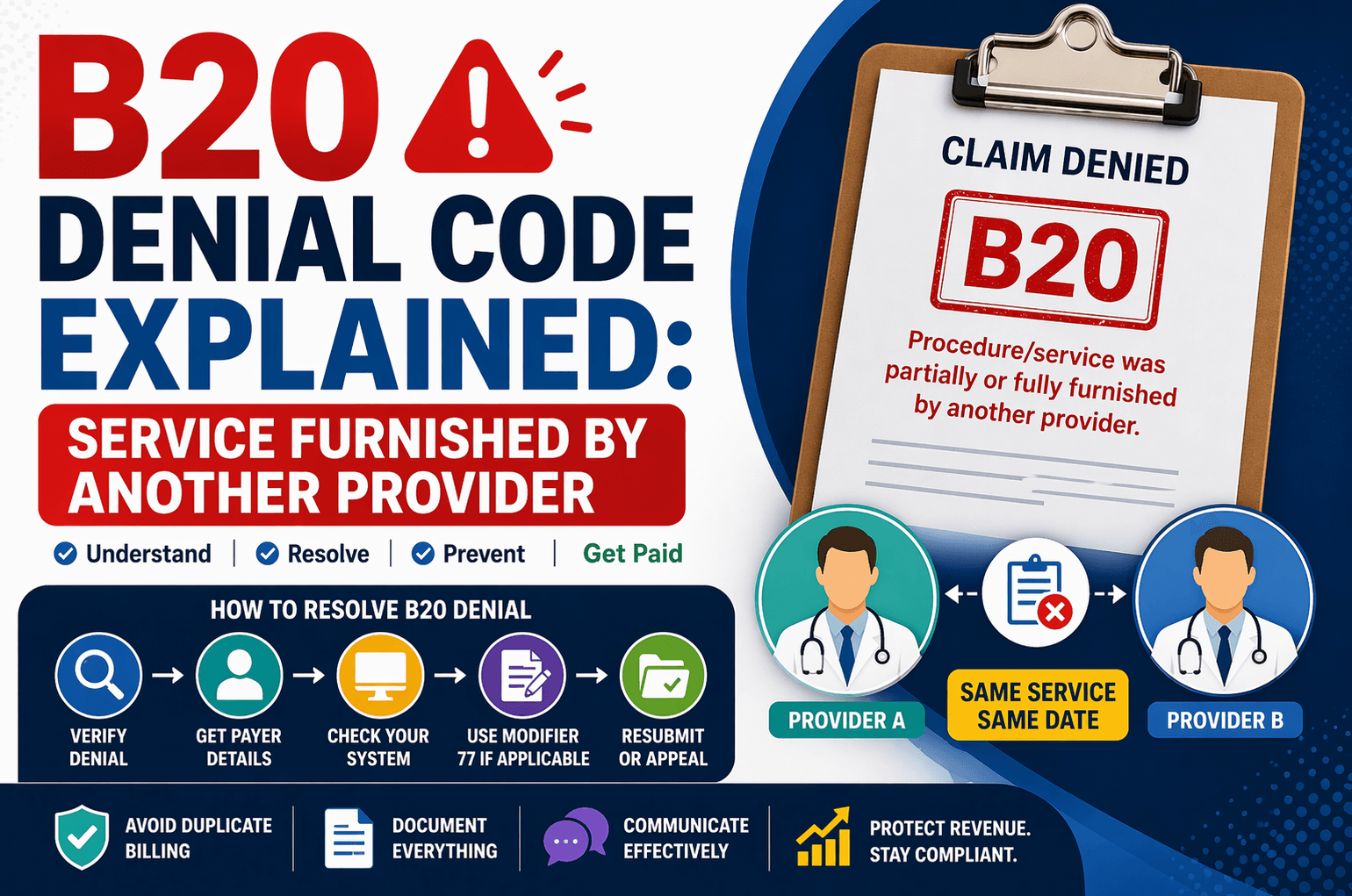
In medical billing and revenue cycle management, denial codes can be confusing—especially for beginners. One such common denial is B20: “Procedure/service was partially or fully furnished by another provider.”
This denial usually occurs when multiple providers bill for the same service on the same date of service (DOS). If not handled correctly, it can lead to revenue loss or delayed payments.
In this guide, we’ll break down the B20 denial in simple terms, explain why it happens, and show you exactly how to resolve it effectively.
What is B20 Denial Code?
The B20 denial indicates that the insurance payer has already processed and paid the claim for the same service to another provider.
In simple terms:
Two providers billed for the same procedure
On the same date of service
The payer considers it a duplicate or overlapping service
So, one of the claims gets denied
Why Does B20 Denial Occur?
Understanding the root cause is key to fixing the issue.
Common Reasons:
Duplicate billing within the same group
Different providers billing the same service
Hospital and physician billing overlap
Incorrect provider selection during claim submission
Lack of coordination between providers
Example:
A patient receives treatment in a hospital:
The facility bills for the procedure
The physician also bills separately
If both claims are not properly differentiated, one may get denied with B20.
Step-by-Step Workflow to Handle B20 Denial
Here’s a simplified approach to resolving this denial:
Step 1: Verify the Denial
Check the denial message carefully
Confirm it states that the service was paid to another provider
Step 2: Ask for Key Details
When contacting the payer, collect:
Denial date
Name of the provider who got paid
NPI (National Provider Identifier)
Claim number and call reference number
Step 3: Check Your System
Look into your billing system:
Scenario A: Same Service Found Under Another Provider
Confirm:
Same CPT code
Same DOS
Different provider
Action:
Submit a corrected claim
Append Modifier 77 (Repeat procedure by another physician)
Scenario B: No Matching Service Found
This means the service may have been billed by:
A different group
Another facility
Action:
Request payer details:
Paid provider name & NPI
File an appeal with supporting documents
What is Modifier 77 and When to Use It?
Modifier 77 is crucial in B20 denial cases.
Definition:
It indicates that a procedure was repeated by a different provider.
When to Use:
Same procedure
Same day
Different provider
Legitimate reason for repetition
Important Note:
For Medicare claims, you typically:
Add Modifier 77
Resubmit directly (no need for corrected claim format)
Appeal Process for B20 Denial
If the denial is incorrect, you can appeal.
When to Appeal:
No duplicate service found in your system
Service was legitimately performed
Another provider billed incorrectly
Appeal Checklist:
Copy of the original claim
Medical records
Provider notes
Explanation of necessity
Proof of separate service
Ask the Payer:
Fax number or mailing address
Timely filing limit for appeals
Key Tips to Prevent B20 Denials
Prevention is always better than rework. Here are some best practices:
- Improve Internal Communication
Ensure coordination between:
Physicians
Facilities
Billing teams - Verify Claims Before Submission
Check:
CPT codes
Provider details
DOS accuracy - Use Modifiers Correctly
Apply Modifier 77 when applicable
Avoid unnecessary duplication - Maintain Clear Documentation
Keep detailed medical records
Justify repeated procedures - Track Denial Trends
Identify patterns
Train staff accordingly
Special Considerations
Medicare Cases:
No need for a corrected claim format
Simply append Modifier 77 and resubmit
Client-Specific Instructions:
Some clients may:
Choose to write off the claim
Have unique workflows
Always follow client guidelines first.
Frequently Asked Questions (FAQs)
- What does B20 denial mean?
It means the insurance payer has already paid another provider for the same service on the same date. - Can I resubmit a B20 denied claim?
Yes, if the service is valid. You may need to:
Add Modifier 77
Submit a corrected claim - When should I file an appeal?
File an appeal if:
You don’t find duplicate billing in your system
The denial appears incorrect - Is Modifier 77 always required?
No. Use it only when:
The same procedure is performed
By a different provider
On the same day - What if the client wants to write off the claim?
Follow client instructions. Some organizations prefer write-offs instead of rework.
Conclusion:
The B20 denial can seem complex at first, but it becomes manageable once you understand its core logic: duplicate or overlapping services billed by different providers.
By following a structured approach—verifying details, checking your system, using Modifier 77 correctly, and appealing when necessary—you can resolve these denials efficiently and protect your revenue.
Consistency, documentation, and proactive checks are your best tools to prevent B20 denials in the future.