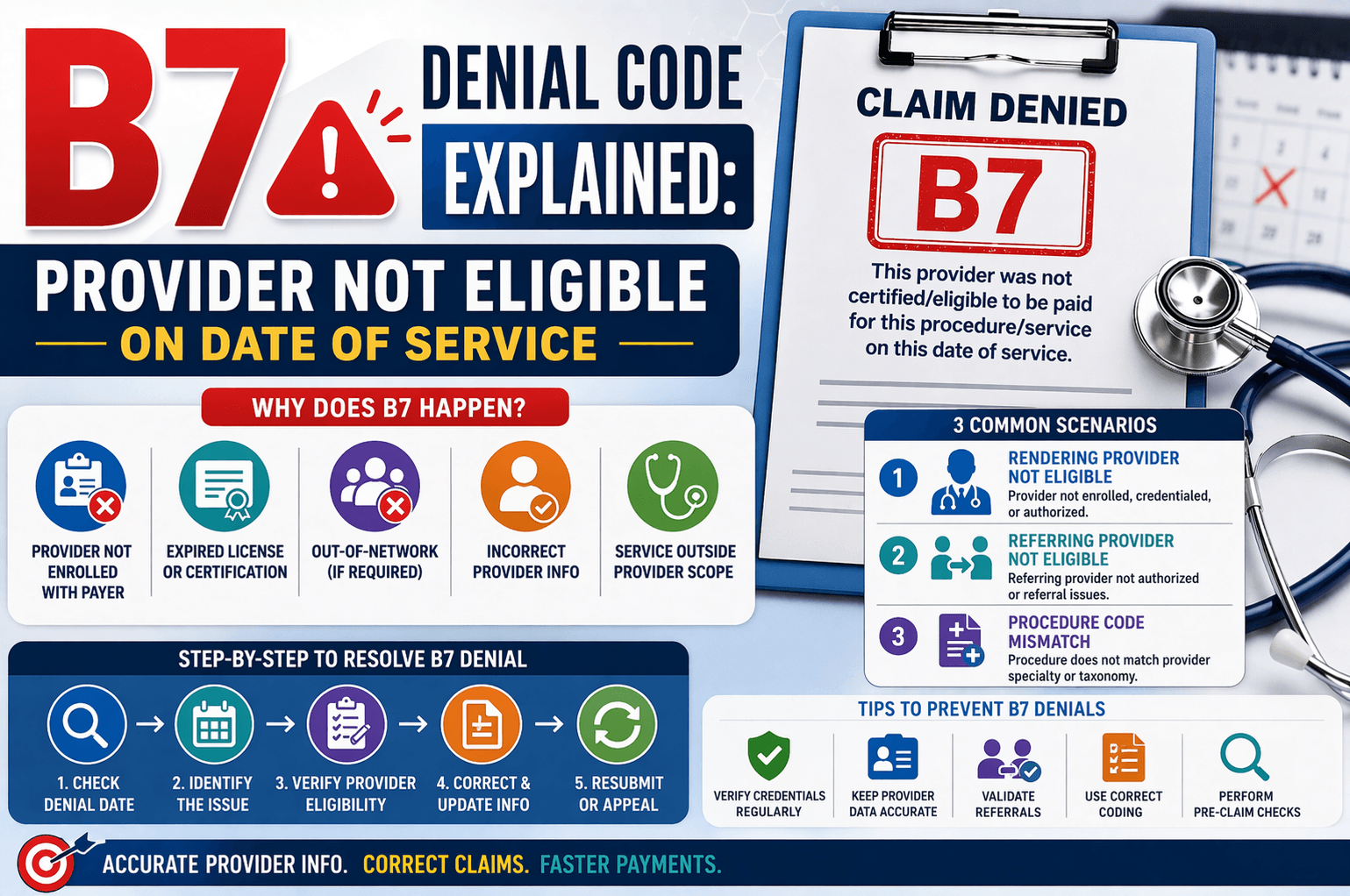
In medical billing, denial codes can be confusing—especially for beginners. One such common denial is B7: “This provider was not certified/eligible to be paid for this procedure/service on this date of service.”
If you’ve encountered this denial, it typically means there is an issue with the provider’s eligibility, certification, or authorization to perform or bill for a specific service on a given date.
This article breaks down the B7 denial in simple terms, explains why it happens, and provides clear steps to resolve it effectively.
What Does B7 Denial Mean?
The B7 denial code indicates that the insurance payer has rejected a claim because the provider involved was not eligible or authorized to perform or bill for the service on the specified date.
This could involve:
The rendering provider (who performed the service)
The referring provider (who referred the service)
The provider’s specialty or taxonomy code
Step-by-Step Approach to Handle B7 Denial
When you encounter a B7 denial, follow this structured workflow:
- Check the Denial Date
Start by verifying:
When the denial was issued
Whether it falls within the timely filing limit for appeal or correction
This ensures you don’t miss deadlines for resubmission. - Identify the Exact Issue
Next, determine the root cause. Typically, B7 denials fall into three categories:
Scenario 1: Rendering Provider Not Eligible
What It Means
The provider who performed the service is not authorized to perform or bill for that procedure.
Possible Reasons
Provider is not enrolled with the payer
Provider’s license or certification expired
Provider is out-of-network (if required)
Credentialing not completed before the service date
How to Fix It
Verify provider enrollment status with the payer
Check credentialing dates and ensure they align with the date of service
Update provider records if incorrect
If valid, submit proof and appeal
Example
A physical therapist performs a procedure but is not credentialed with the insurance plan at that time → claim denied with B7.
Scenario 2: Referring Provider Not Eligible
What It Means
The referring provider is not authorized to refer services under that insurance plan.
Possible Reasons
Referring provider is not enrolled with the payer
Missing or incorrect referring provider details
Referral required but not valid
How to Fix It
Verify referring provider’s enrollment status
Ensure correct NPI (National Provider Identifier) is used
Obtain or update referral documentation
Correct and resubmit the claim
Example
A specialist visit requires a referral, but the referring physician is not recognized by the insurance → denial occurs.
Scenario 3: Procedure Code Mismatch with Provider Type
What It Means
The procedure billed does not match the provider’s specialty or taxonomy code.
Possible Reasons
Incorrect CPT/HCPCS code used
Provider specialty does not support the procedure
Invalid or outdated taxonomy code
How to Fix It
Cross-check procedure codes with provider specialty
Verify taxonomy code accuracy
Update provider profile if needed
Correct coding errors and resubmit
Example
A general physician bills for a specialized surgical procedure outside their scope → claim denied.
Common Causes of B7 Denials
Here’s a quick summary of frequent triggers:
Provider not credentialed on service date
Incorrect or missing provider information
Invalid or mismatched taxonomy code
Referring provider issues
Billing for services outside provider scope
Enrollment gaps or delays
Tips to Prevent B7 Denials
Preventing denials is always better than fixing them later. Follow these best practices:
Verify Provider Credentials Regularly
Ensure all providers are:
Properly enrolled
Credentialed before seeing patients
Up-to-date with licenses
Maintain Accurate Provider Data
Double-check NPIs and taxonomy codes
Keep provider records updated in billing systems
Validate Referrals
Confirm referral requirements before services
Ensure referring provider eligibility
Use Correct Coding
Match procedure codes with provider specialty
Avoid billing outside scope of practice
Perform Pre-Claim Checks
Use eligibility verification tools
Conduct internal audits before submission
FAQs About B7 Denial Code
- Can a B7 denial be appealed?
Yes. If the provider was actually eligible but the payer made an error, you can submit an appeal with supporting documentation such as credentialing proof. - Is B7 denial always the provider’s fault?
Not necessarily. Sometimes it’s due to:
Data entry errors
Payer system issues
Incorrect provider mapping - How long do I have to correct a B7 denial?
It depends on the payer’s timely filing limit, typically between 30 to 180 days. Always verify with the specific insurance plan. - What documents are needed to fix B7 denial?
You may need:
Provider credentialing records
Enrollment confirmation
Corrected claim forms
Referral documentation - Can incorrect taxonomy codes cause B7 denial?
Yes. If the taxonomy code does not align with the billed procedure, the claim may be rejected under B7.
Conclusion:
The B7 denial code may seem complex at first, but it becomes manageable once you understand its root causes. It mainly revolves around provider eligibility, certification, and correct alignment between services and provider credentials.
By following a structured approach—checking the denial reason, identifying the exact issue, and correcting it—you can resolve these denials efficiently. More importantly, implementing preventive measures like credential verification and accurate coding can significantly reduce the occurrence of B7 denials in the future.
Mastering these fundamentals will not only improve claim acceptance rates but also streamline your overall revenue cycle management.