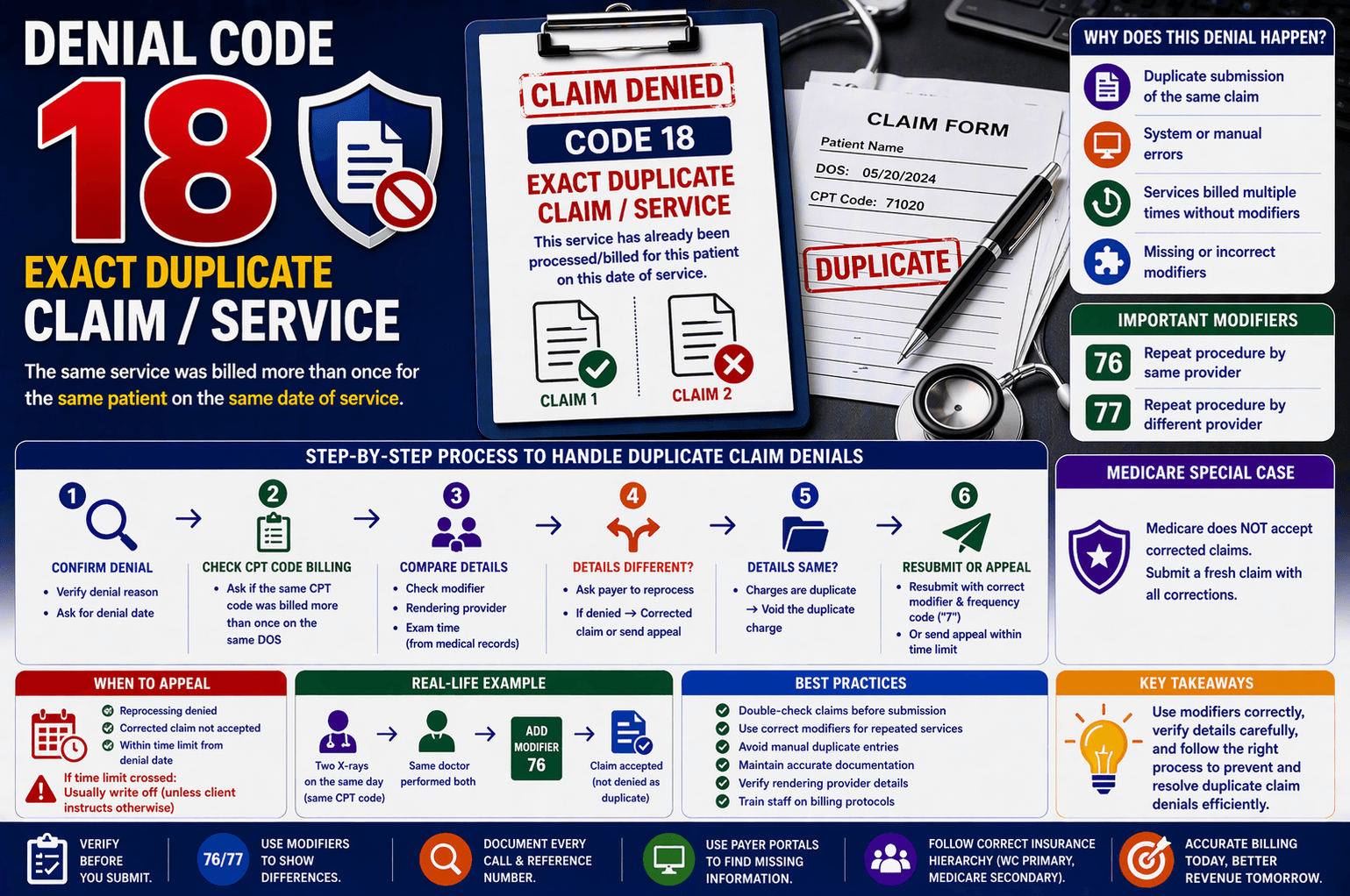
In medical billing and revenue cycle management, claim denials are a common challenge—but some are easier to understand and fix than others. One such denial is the “Exact Duplicate Claim/Service” denial, which typically occurs when the same service is billed more than once for the same date of service (DOS).
For beginners in healthcare billing, this denial can seem confusing at first. However, once you understand the root cause and the correct workflow to resolve it, managing these denials becomes much more straightforward.
This guide breaks down everything you need to know—from identifying the issue to taking the right corrective action—using simple language and practical steps.
What is an Exact Duplicate Claim Denial?
An Exact Duplicate Claim Denial happens when:
The same CPT code is billed more than once for the same patient
The billing is done for the same date of service (DOS)
Or a claim is submitted twice by mistake
Example:
If a provider submits a claim for a chest X-ray twice for the same patient on the same day, the insurance payer will:
Process the first claim
Deny the second claim as a duplicate
Why Does This Denial Occur?
Understanding the causes helps prevent repeated errors. Common reasons include:
- Duplicate Submission
The same claim is accidentally submitted twice - System or Manual Errors
Billing software glitches
Human errors during data entry - Multiple Services Misinterpreted
Services performed multiple times but billed without proper modifiers - Missing or Incorrect Modifiers
Modifiers help differentiate services
Without them, claims appear identical
Step-by-Step Process to Handle Duplicate Claim Denials
Handling this denial requires a structured approach. Here’s a simplified workflow:
Step 1: Confirm the Denial
Verify that the denial reason is duplicate claim/service
Ask for the denial date
Step 2: Check CPT Code Billing
Ask:
Was the same CPT code billed more than once on the same DOS?
If NO:
Check the original claim status
Follow the appropriate Accounts Receivable (AR) process
If YES:
Move to the next step
Step 3: Compare Key Details
Check if the following are identical:
Modifier
Rendering provider
Exam time (from medical records)
Scenario A: Details Are Different
If modifier, provider, or exam time differ, then:
Action:
Request the insurance representative to reprocess the claim
If the Rep Agrees:
Ask for Turnaround Time (TAT)
Note:
Claim number
Call reference number
Set a follow-up reminder
If the Rep Denies Reprocessing:
You have two options:
Option 1: Submit a Corrected Claim
Update:
Correct modifier
Billing frequency code (“7”)
Ask for:
Timeframe for submission
Option 2: Send an Appeal
Ask for:
Fax number or mailing address
Time limit for appeal
Scenario B: Details Are the Same
If all details match:
The charges are truly duplicate
Action:
Void the duplicate charge
Important Modifiers You Should Know
Modifiers play a key role in avoiding duplicate denials.
Modifier 76
Used when the same provider repeats the procedure
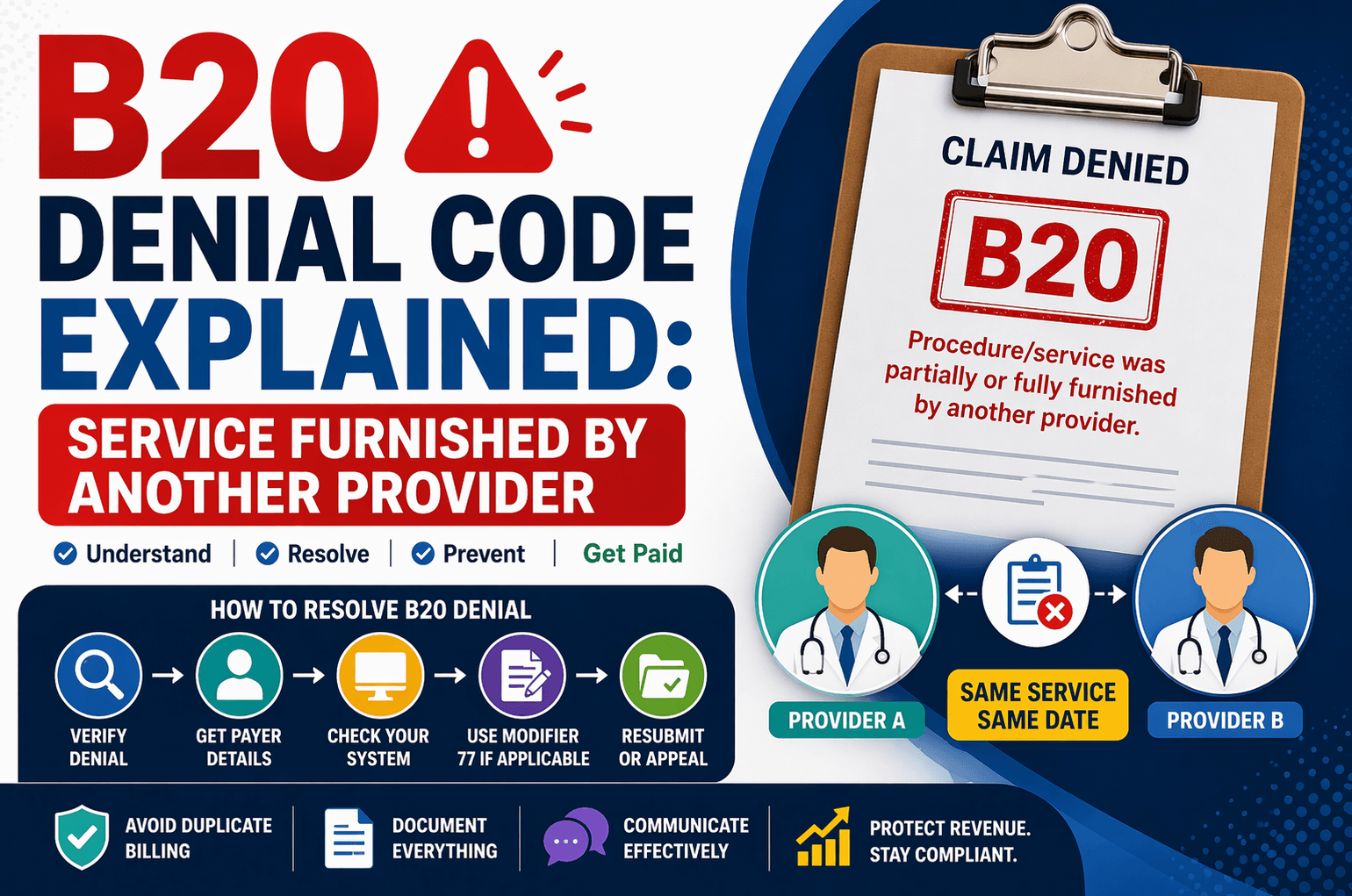
Modifier 77
Used when a different provider performs the same procedure
Example:
Two X-rays on the same day:
Same doctor → Modifier 76
Different doctors → Modifier 77
Special Case: Medicare Claims
Medicare has a unique rule:
Does NOT accept corrected claims
Instead:
Submit a fresh claim
Ensure all corrections are included
When to Send an Appeal
Appeals are necessary when:
Reprocessing is denied
Corrected claims are not accepted
Modifiers are correct but still denied
Before Sending an Appeal:
Check the time limit
Calculate from the denial date
If within time limit:
Submit appeal with supporting documents
If time limit crossed:
Usually write off the claim
But follow client instructions if exceptions apply
Key Tips to Prevent Duplicate Denials
Preventing denials saves time and improves revenue flow.
Best Practices:
Double-check claims before submission
Use correct modifiers for repeated services
Avoid manual duplicate entries
Maintain accurate documentation
Verify rendering provider details
Train staff on billing protocols
Real-Life Example
Let’s simplify with a quick scenario:
A patient receives two ultrasound exams on the same day:
Same CPT code used
Same provider performs both
What should be done?
Add Modifier 76 to the second service
What happens if you don’t?
The second claim gets denied as a duplicate
Frequently Asked Questions (FAQs)
- What is the most common cause of duplicate claim denials?
The most common cause is submitting the same claim twice, either due to human error or system issues. - Can duplicate claims be reprocessed?
Yes, but only if there are valid differences like modifiers, providers, or exam times. Otherwise, they are rejected. - What happens if I miss the appeal deadline?
In most cases, the claim must be written off, unless the client requests further action. - Why are modifiers important in duplicate claims?
Modifiers help show that services are distinct and medically necessary, even if they share the same CPT code. - How do I handle duplicate denials for Medicare?
You must submit a new (fresh) claim, as Medicare does not accept corrected claims.
Conclusion:
Exact Duplicate Claim Denials are among the more manageable denial types once you understand the logic behind them. The key is identifying whether the duplication is genuine or if there are differences that justify separate billing.
By carefully reviewing CPT codes, modifiers, provider details, and documentation, you can resolve these denials efficiently—and more importantly, prevent them in the future.
A structured workflow, attention to detail, and proper use of modifiers will significantly reduce errors and improve your overall billing performance.