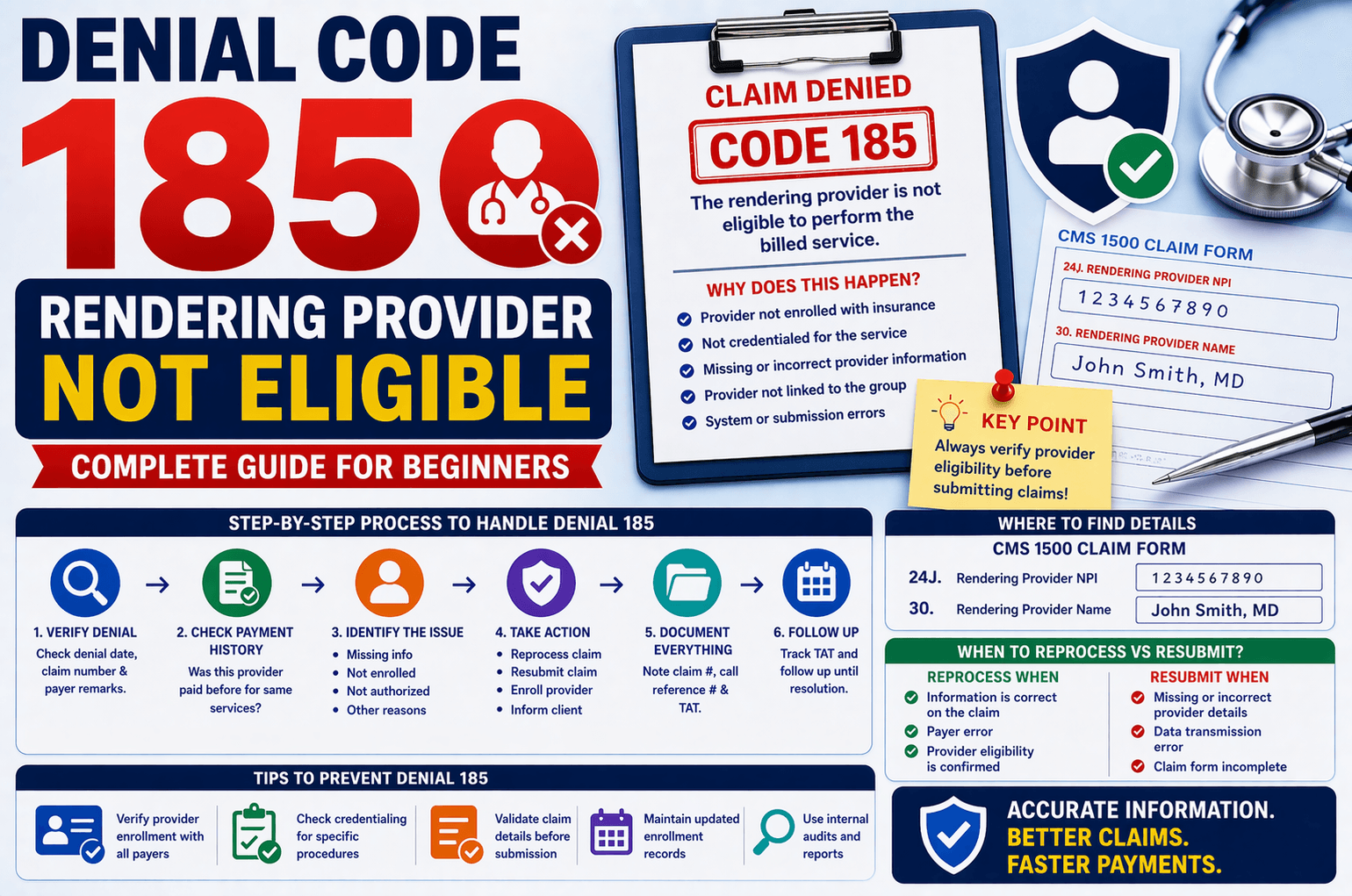
In medical billing, claim denials are a common challenge that can delay payments and impact revenue cycles. One such denial is Denial Code 185, which indicates that the rendering provider is not eligible to perform the billed service.
If you’re new to medical billing or revenue cycle management, this denial can seem confusing. However, with the right approach and understanding, it becomes manageable and even preventable.
This guide breaks down Denial Code 185 in simple terms, explains why it happens, and provides a clear step-by-step workflow to resolve it effectively.
What is Denial Code 185?
Denial Code 185 means:
The insurance payer has determined that the rendering provider listed on the claim is not authorized or eligible to perform the specific service billed.
In simple terms:
The doctor or provider who performed the service is either:
Not enrolled with the insurance
Not credentialed for that service
Missing or incorrectly listed on the claim
Why Does This Denial Occur?
Understanding the root cause is the first step toward resolution. Below are the most common reasons:
- Provider Not Enrolled with Insurance
The rendering provider is not registered with the payer.
Enrollment may have expired or never been completed. - Provider Not Credentialed for the Service
The provider is enrolled but not authorized to perform that specific procedure code. - Missing or Incorrect Provider Information
The claim form does not include the rendering provider’s details.
Errors in NPI (National Provider Identifier). - Enrollment Issues with Group
Provider is not linked to the billing group or facility. - System or Submission Errors
Information was submitted but not captured correctly by the payer.
Where to Find Rendering Provider Details?
In a standard CMS 1500 claim form, the rendering provider information is located at:
Box 24J – Rendering Provider NPI
Box 30 – Rendering Provider Name
If these fields are missing or incorrect, the claim is likely to be denied.
Step-by-Step Process to Handle Denial 185
Here’s a simplified workflow you can follow when working on this denial:
Step 1: Verify Denial Details
Note the denial date
Check the claim number
Review payer remarks
Step 2: Check Payment History
Ask:
Has the same rendering provider received payment for similar services before?
If YES:
Request reprocessing:
“Payment was previously made for this provider. Please reprocess the claim.”
Ask for:
Turnaround Time (TAT)
Call reference number
If NO:
Proceed to identify the root cause.
Step 3: Identify the Exact Issue
A. Provider Information Missing
Check the claim form
If info is available → Request reprocessing
If missing → Resubmit claim with correct details
B. Provider Not Enrolled
Ask:
Is the rendering provider enrolled with the insurance or group?
If YES:
Request:
Effective date
Termination date (if applicable)
Confirm eligibility during the service date
If NO:
Inform the client
Initiate enrollment or ask for next steps
C. Provider Not Allowed for Procedure
Verify if the provider is authorized for the billed CPT code
If not:
Inform client with explanation
Request alternative action (e.g., corrected claim)
D. Other Reasons
If unclear, contact payer and request clarification
Always document:
Claim number
Call reference number
When to Resubmit vs Reprocess?
Understanding the difference is critical:
Reprocess the Claim When:
Information is already correct on the claim
Payer error occurred
Provider eligibility is confirmed
Resubmit the Claim When:
Missing or incorrect provider details
Data transmission error
Claim form incomplete
Key Tips to Avoid Denial 185
Preventing denials is always better than fixing them. Here are practical tips:
Verify Provider Enrollment
Ensure providers are enrolled with all active payers
Check Credentialing Status
Confirm provider eligibility for specific procedures
Validate Claim Before Submission
Double-check:
NPI number
Provider name
Correct claim form fields
Maintain Updated Records
Track enrollment effective and termination dates
Use Internal Audits
Periodically review claims for accuracy
Example Scenario
Let’s simplify with a real-world example:
Situation:
A claim is denied with Code 185.
Action Taken:
You check and find the provider has been paid before.
You call the payer and request reprocessing.
Outcome:
Payer agrees and gives a 15-day TAT.
Claim is successfully paid.
Frequently Asked Questions (FAQs)
- What does “rendering provider not eligible” mean?
It means the provider listed on the claim is not authorized by the insurance to perform the billed service. - Can this denial be appealed?
Yes, if the provider is actually eligible and the denial is due to an error, you can request reprocessing or file an appeal. - How do I check provider eligibility?
You can verify through:
Insurance portals
Provider enrollment records
Direct payer calls - What if the provider is not enrolled?
You must:
Initiate enrollment
Or ask the client for further instructions - Is resubmission always required?
No. Only resubmit if the claim has missing or incorrect information. Otherwise, request reprocessing.
Conclusion:
Denial Code 185 may seem complex at first, but it follows a clear logic once you understand the causes. The key lies in verifying provider eligibility, ensuring accurate claim submission, and following a structured resolution process.
By consistently checking enrollment status, validating claim details, and documenting payer interactions, you can significantly reduce these denials and improve your billing efficiency.
Mastering this denial not only helps in faster claim resolution but also strengthens your overall revenue cycle management skills.