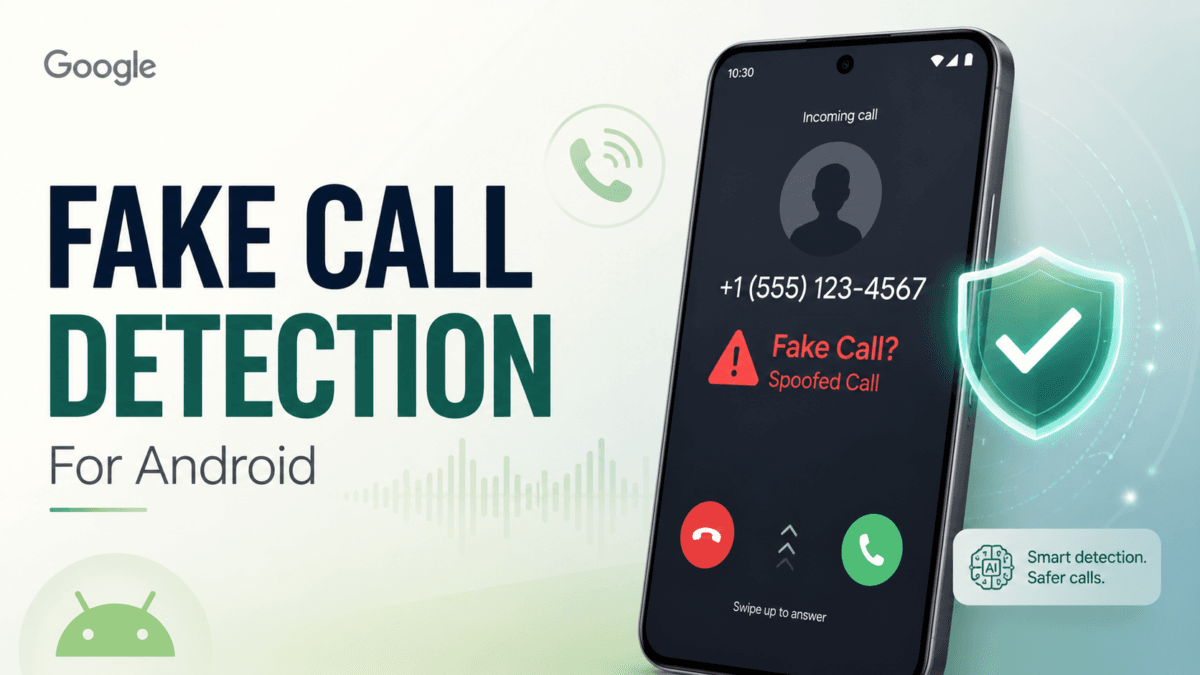
Phone scams have become harder to spot. Earlier, people avoided unknown numbers. Now, scammers can fake familiar numbers and even use AI-generated voices to sound like a friend, family member, or trusted company. To address this growing risk, Google has introduced fake call detection for Android phones, a new safety feature designed to warn users when a call may be pretending to come from someone they know.
This feature is not just another spam filter. It focuses on call spoofing, where scammers hide behind a trusted caller ID to trick people into answering.
What Is Google’s Fake Call Detection?
Google’s fake call detection is a new Android security feature that can identify and flag suspected spoofed calls. It is designed to protect users from scams where someone pretends to call from a contact’s number, especially with the help of AI voice-cloning tools. Google announced the feature on June 2, 2026, as part of its wider Android security efforts.
The feature works through the Phone by Google app. When a call appears to come from one of your contacts, Android checks whether the call is actually coming from that contact’s real device.
How the Feature Works
A Digital Handshake Between Phones
Google describes the system as a kind of private digital handshake. When both the caller and receiver use Phone by Google, the caller’s device sends a silent confirmation signal to the receiver’s phone. This helps confirm that the call is genuine. Google says this process uses end-to-end encrypted RCS technology, which keeps the verification private.
Warning for Suspicious Calls
If that confirmation signal is missing, Android can warn the user that someone may be pretending to call from the contact’s number. This gives the receiver a chance to hang up before sharing personal details, transferring money, or reacting emotionally to a fake emergency.
This is especially important because spoofed calls often depend on pressure. A scammer may claim that a family member is in trouble, a bank account is blocked, or urgent payment is needed.
Availability and Requirements
Google says fake call detection is rolling out globally through Phone by Google for Android 12 and newer devices, starting with Pixel phones. The feature also requires Phone by Google, Google Contacts, Google Messages, and RCS capability. Both the caller and receiver must be using Phone by Google for the contact verification system to work.
This means the feature will not protect every call immediately. Its usefulness will grow as more Android users, phone makers, and apps support compatible verification systems.
Why This Feature Matters
Caller ID Is No Longer Enough
Caller ID was once enough for many people to decide whether to answer a call. But caller ID spoofing allows scammers to display a fake number. Google’s Android Help page explains that spoofing happens when a caller intentionally fakes the number shown on caller ID, often to impersonate a bank or trusted source.
Fake call detection tries to solve this problem by checking whether the call is actually coming from the expected device, not just whether the number looks familiar.
Protection Against AI Voice Scams
AI voice cloning has made impersonation scams more convincing. A scammer may use a copied voice to sound like a relative or employer. In such situations, people may act quickly out of fear. A warning on the screen can help users pause and verify before making a costly mistake.
Is This Feature Useful or Not?
Useful For
This feature is very useful for Android users who receive calls from family, friends, banks, workplaces, or service providers. It can help protect elderly users, students, parents, and anyone who may be targeted by emotional or financial scams.
It is also helpful because it works automatically in the background. Users do not need technical knowledge to benefit from it.
Limitations
The biggest limitation is compatibility. The feature works best only when both sides are using Phone by Google and the required Google services. It also cannot replace common sense. A call may look normal but still be suspicious if the caller asks for passwords, OTPs, gift cards, money transfers, or private information.
Practical Tips to Stay Safe
If Android warns you about a possible fake call, hang up immediately. Call the person back using a saved contact or another trusted method. For banks or companies, use the official number from the website, app, or card instead of trusting the incoming caller ID.
Never share OTPs, UPI PINs, passwords, card details, or personal documents over a call. Even if the voice sounds familiar, verify the request separately.
Key Takeaways
Google’s fake call detection is designed to fight spoofed and AI-powered impersonation calls. It uses Phone by Google, RCS-based verification, and real-time alerts to warn users when a contact call may be fake. It is rolling out globally on Android 12+ devices, starting with Pixel phones, but it needs compatible apps and services to work fully.
Conclusion
Google’s fake call detection is a meaningful step toward safer phone communication. It cannot stop every scam, but it adds an important layer of protection at the exact moment users are most vulnerable: when they answer a trusted-looking call. For Android users, this feature can make everyday calling safer, especially as scammers become more advanced with spoofing and AI voice tools.