Procedure Code Inconsistent with Provider Type/Specialty (Taxonomy Denial) – Easy Guide
In medical billing, one of the most common claim denials is:
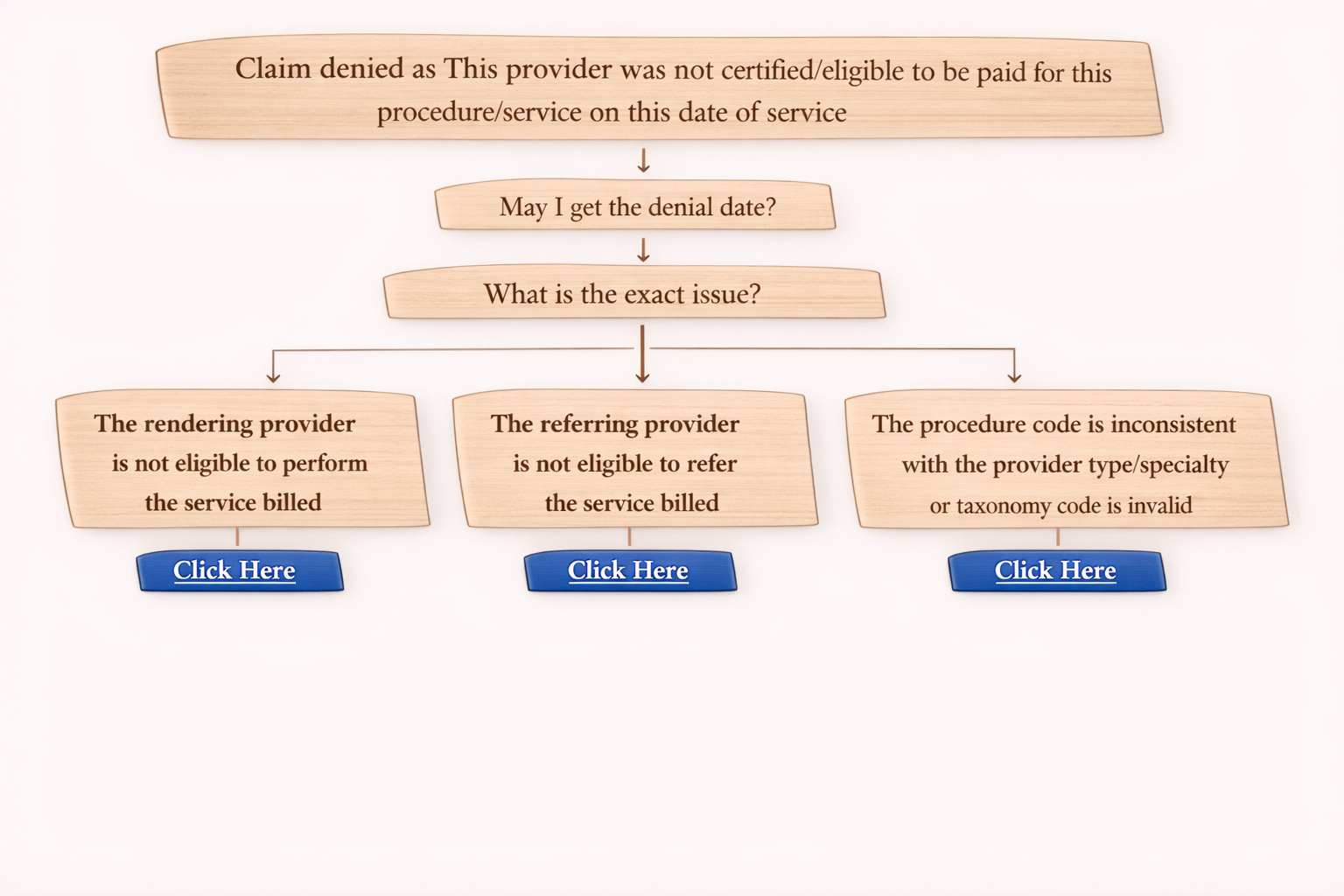
“The procedure code is inconsistent with the provider type/specialty (taxonomy)”
This denial happens when the insurance payer feels the provider specialty or taxonomy does not match the CPT/procedure code billed in the claim.
Let’s understand this denial in a simple way, along with how to fix it during an insurance call.
What Does This Denial Mean?
This denial means the payer is saying:
• The procedure code (CPT) billed is not allowed for the provider’s specialty
• The taxonomy code is missing or not visible in the claim form
In short:
CPT + Provider Specialty must match, and taxonomy code must be present correctly.
Step 1: Confirm Denial Details (On Call)
Whenever you see this denial, ask the payer these questions first:
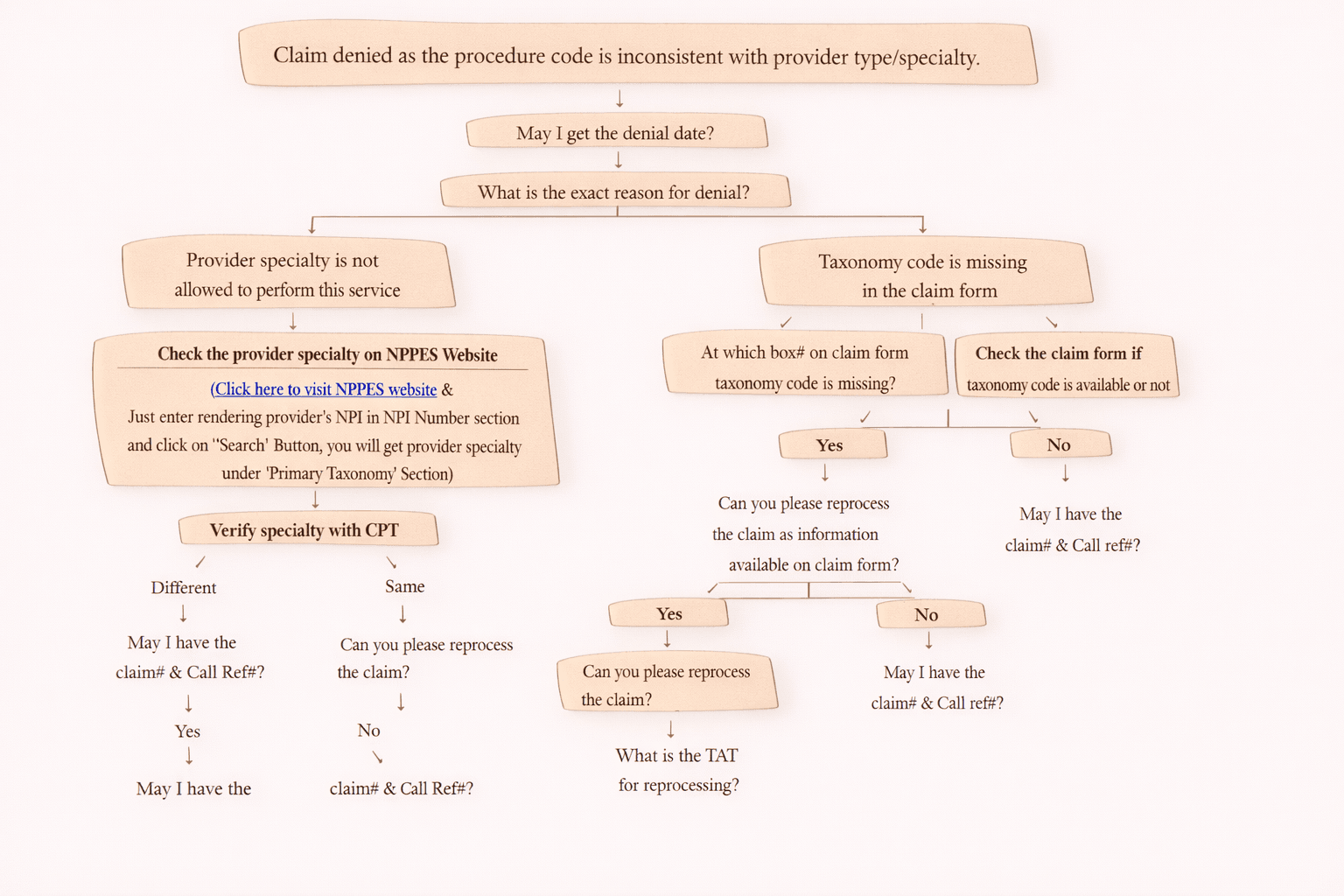
1. May I get the denial date?
2. What is the exact reason for denial?
This will help you identify whether the issue is:
- Provider specialty mismatch
- Taxonomy code missing
Scenario 1: Provider Specialty is Not Allowed to Perform the Service
If the payer says:
“Provider specialty is not allowed to perform this procedure.”
Then follow these steps:
Step A: Check Provider Specialty on NPPES Website
Go to the NPPES NPI Registry and check the rendering provider’s taxonomy.
How to check:
- Open NPPES Website
- Enter Rendering Provider NPI
- Click Search
- Check Primary Taxonomy section
Step B: Compare Specialty with the CPT Code
Now verify:
Is the provider specialty allowed to bill that CPT?
If Specialty is Different
Ask the payer:
“May I have the claim number and call reference number?”
Then update client or submit correction based on requirement.
If Specialty is Same
Ask the payer:
“Can you please reprocess the claim as the provider specialty matches with the CPT?”
Scenario 2: Taxonomy Code is Missing in the Claim Form
If the payer says:
“Taxonomy code is missing.”
Then ask:
“At which box number on the claim form is the taxonomy missing?”
Now check the CMS 1500 claim form.
Where is Taxonomy in CMS 1500?
Important locations in CMS 1500 form:
• Rendering Provider taxonomy → Box 24J (above NPI)
• Billing Provider taxonomy → Box 33B
If Taxonomy Code is Present in the Claim Form
Tell payer:
“Can you please reprocess the claim? Taxonomy is available in the claim form.”
If payer agrees, ask:
“What is the TAT for reprocessing?”
“May I have the claim number and call reference number?”
If Taxonomy Code is NOT Present in the Claim Form
Then collect details:
“May I have the claim number and call reference number?”
Next action:
• Resubmit the claim with correct taxonomy code
• Confirm taxonomy is populating in:
Box 24J
Box 33B
If it still does not populate:
Inform the client that the claim form taxonomy is missing and needs correction.
What To Do If Payer Still Cannot See the Taxonomy?
Sometimes taxonomy is present in CMS 1500, but payer says they cannot see it.
In that case:
Resubmit the claim again
Reason:
Taxonomy might have been missed due to system or EDI transmission error.
Final Tips for Medical Billers
Always confirm:
• Denial date
• Exact denial reason
• Claim number
• Call reference number
• TAT for reprocessing
Always verify:
• NPPES taxonomy
• CMS 1500 taxonomy boxes
Conclusion
The denial “Procedure code inconsistent with provider type/specialty (taxonomy)” is usually caused by:
- Specialty mismatch between provider and CPT
- Missing taxonomy in CMS 1500 form
If you follow the above steps, you can quickly resolve this denial by:
verifying taxonomy
requesting reprocessing
or resubmitting the claim with correct details