Denial Code 185: Rendering Provider Not Eligible to Perform the Service Billed (Simple Guide)
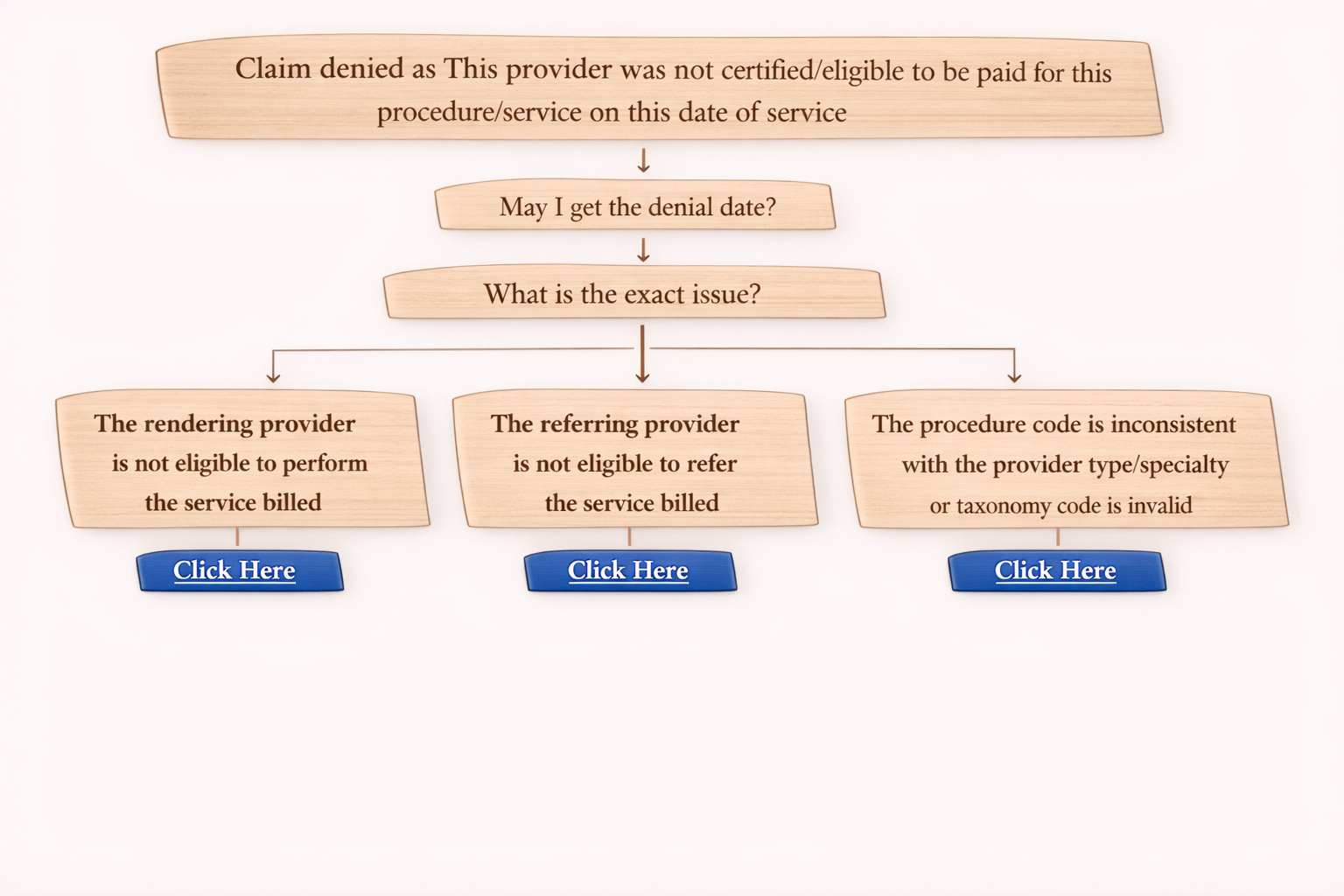
Denial Code 185 is a common medical billing denial that occurs when the insurance company rejects a claim because the rendering provider is not eligible to perform the billed service.
This denial usually means the provider is either:
• not enrolled with the payer
• not linked to the correct group
• missing required details in the claim
• not allowed to bill that specific procedure code
Let’s understand this denial and how to handle it during an insurance call.
What is Denial Code 185?
Denial Description:
The rendering provider is not eligible to perform the service billed.
In simple words:
Insurance is saying the provider who performed the service is not valid or approved to bill for that service under that plan.
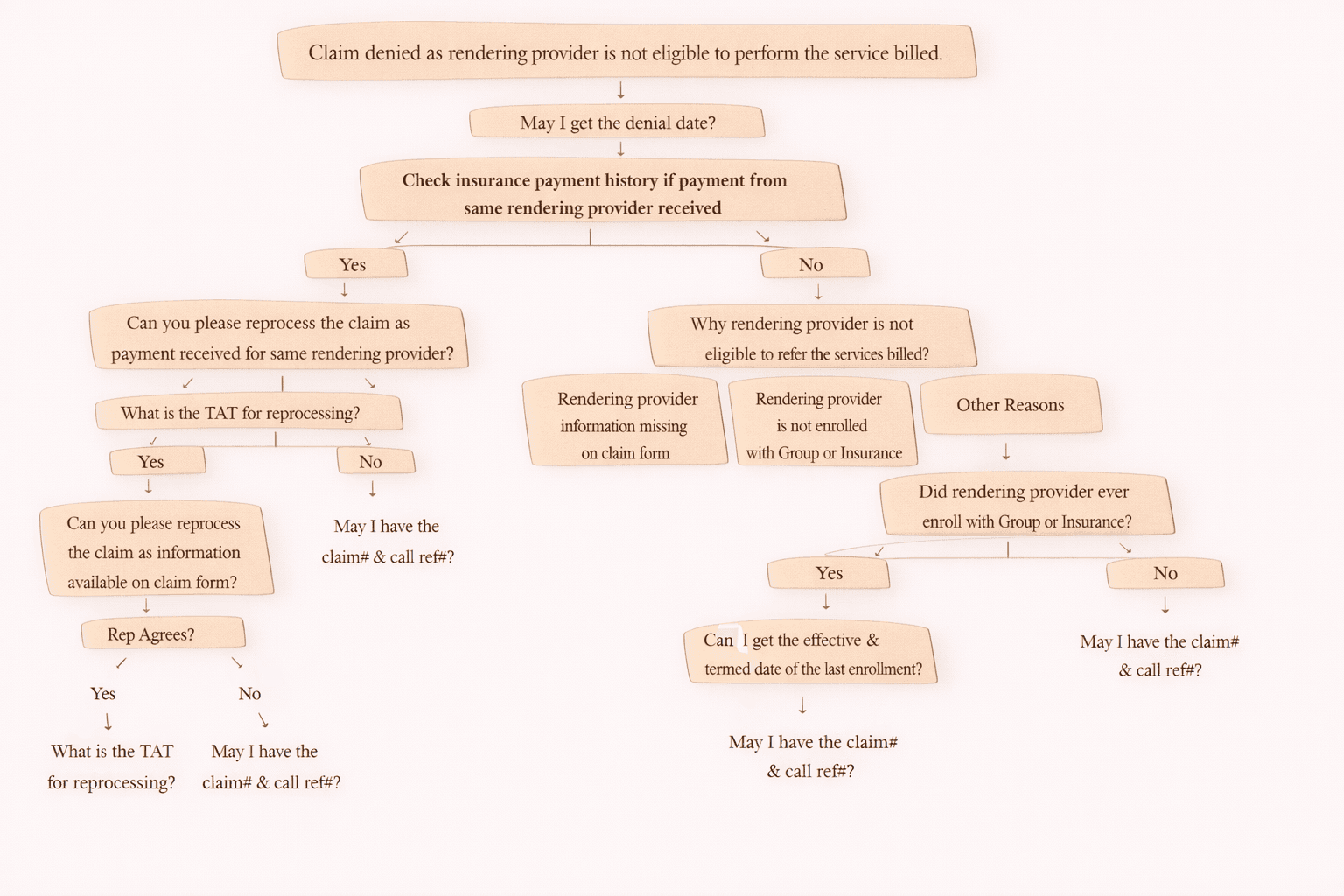
First Step: Ask for Denial Date
Before doing anything else, confirm the denial timeline.
Call Script:
“May I get the denial date?”
This helps in:
• confirming timely filing impact
• deciding if claim can be reprocessed or resubmitted
Next Step: Check Payment History
Then verify whether the payer has ever paid claims for the same rendering provider.
Question to check internally / ask payer:
“Can you confirm if any payment was received earlier for the same rendering provider?”
If YES (payment exists)
This is good news — provider was eligible earlier.
Call Script:
“Can you please reprocess the claim as payment has been received earlier for the same rendering provider?”
Then ask:
“What is the TAT (Turnaround Time) for reprocessing?”
Finally take:
“May I have the claim number and call reference number?”
If NO (no payment history found)
Now you must identify why the rendering provider is not eligible.
Call Script:
“Could you please confirm why the rendering provider is not eligible to perform the services billed?”
Now denial reasons typically fall under three categories.
Common Reasons for Denial 185 + Fix
1) Rendering Provider Information Missing on Claim
This is a claim form issue.
Action:
Check the CMS-1500 claim form.
• Rendering Provider NPI → Box 24J
• Rendering Provider Name → Box 31 (common standard)
If information is available on claim form:
Request reprocessing.
Call Script:
“The rendering provider information is available on the claim form. Can you please reprocess the claim?”
If rep agrees:
• Ask TAT
• Get Claim # and Call Ref #
If rep does NOT agree:
“May I have the claim number and call reference number?”
If information is NOT available on claim form:
Resubmit the claim.
Then re-check:
• If still missing after resubmission → inform client.
2) Rendering Provider Not Enrolled with Group or Insurance
This is the most common reason.
Key question:
“Did the rendering provider ever enroll with the group or the insurance?”
If YES (previous enrollment existed)
Ask:
“Can I get the effective date and termination date of the last enrollment?”
Then collect:
Claim # and Call Reference #
If NO (never enrolled)
The claim cannot be processed until enrollment is completed.
Next step:
• Inform client clearly
• Ask them to complete payer enrollment
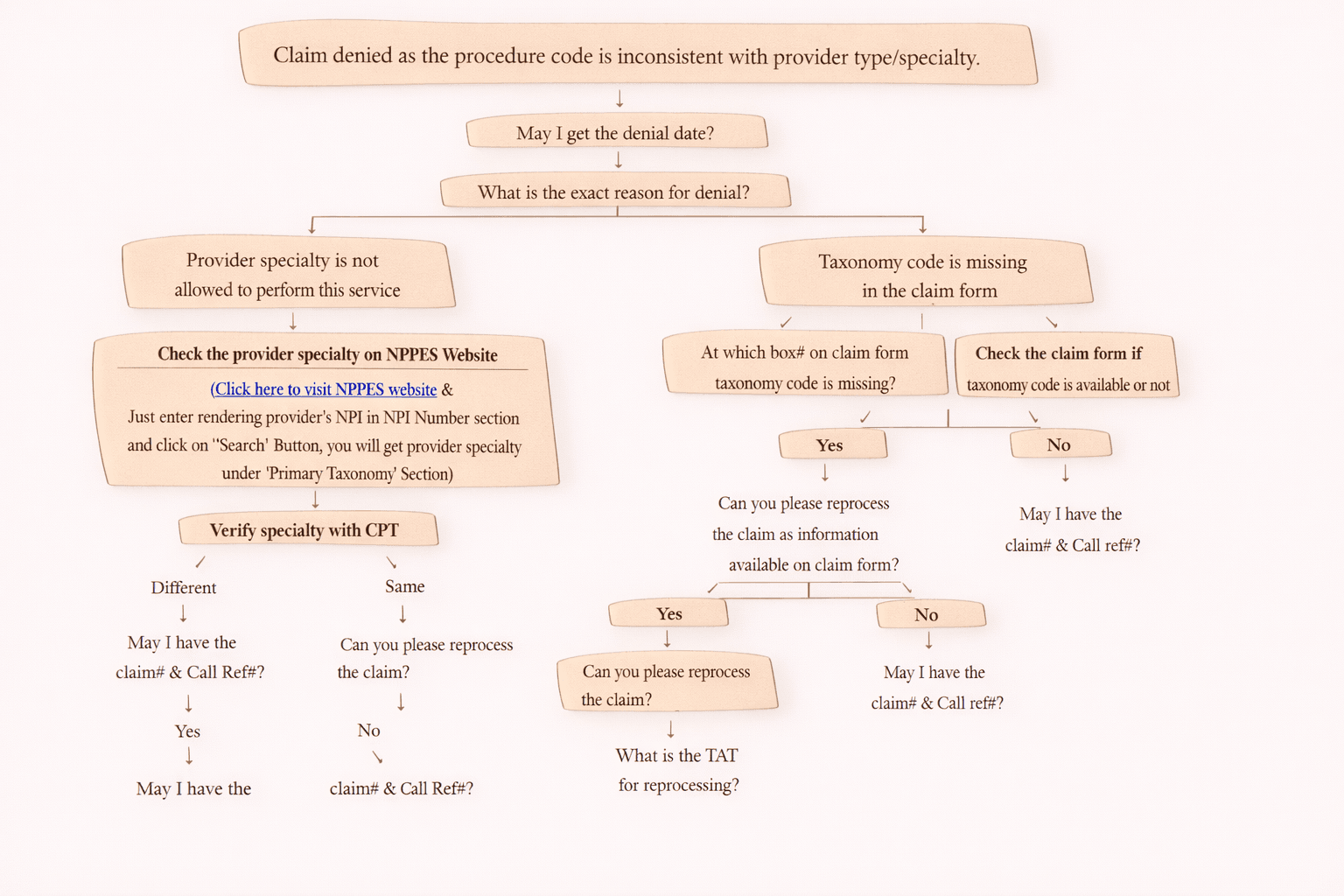
3) Other Reasons (Provider Not Allowed for Procedure Code)
Sometimes provider is enrolled, but not authorized for the billed CPT/procedure.
Example cases:
• provider specialty mismatch
• procedure restricted to certain facility or provider type
Call Script:
Explain the reason and ask client for next action:
• correct billing provider
• change rendering provider if applicable
• submit corrected claim
Collect:
Claim # and Call reference #
Important Notes (Must Remember)
• If rendering provider is not enrolled, ask client to proceed with enrollment before claim can be paid.
• If rendering provider is not allowed to bill the CPT/procedure, explain and ask client next action.
• If info exists on CMS-1500 but payer cannot find it:
Claim may have been submitted incorrectly in the system
Resubmit claim (possible payer system error)
• If info is missing on claim:
Resubmit to confirm whether it populates
If still missing, update client with evidence
Conclusion
Denial Code 185 can be resolved quickly if we follow the right call flow:
- Ask denial date
- Check payment history for same rendering provider
- Identify reason:
Missing rendering provider details
Provider not enrolled
Provider not eligible for CPT/service
- Reprocess or resubmit
- Always record claim # and call reference #